Basic Linux Commands

Table of Contents:
View the contents of a file
Change file permissions
Check command history
Remove a directory/folder
Create and view the content of a file
Add content to fruits.txt
Show the top three fruits
Show the bottom three fruits
Create and view the content of another file
Add content to Colors.txt
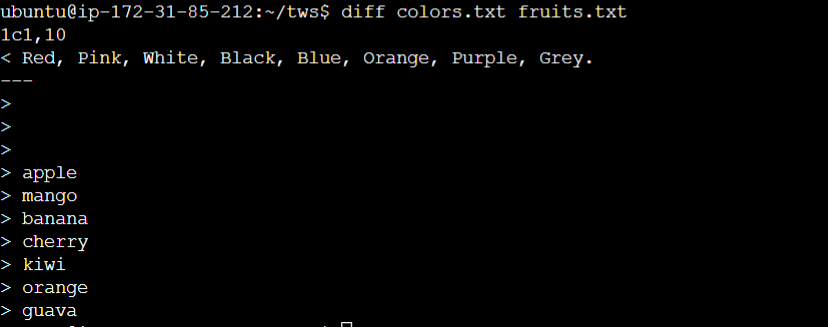
Find the difference between fruits.txt and Colors.txt
1. View the contents of a file 📄 To see what's written in a file, we use the cat command. For example:

2. Change file permissions 🔒 To modify the access permissions of files, we use the chmod command. It allows us to add or remove read, write, and execute permissions. For example:
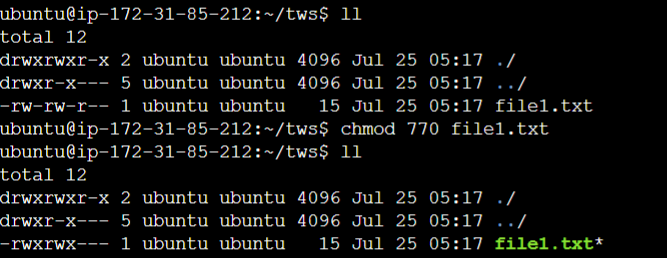
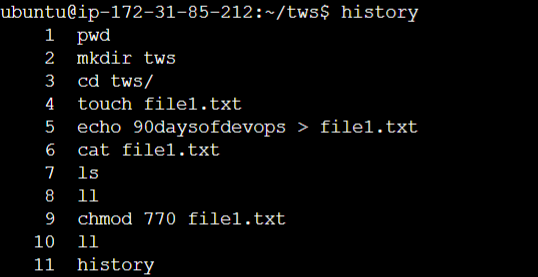
3. Check command history ⏳ To view the list of commands you have run in the current session, simply use the history command:
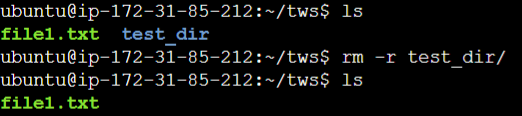
4. Remove a directory/folder 🗑️ To delete a directory and all its contents, we use the rm command with the -r (recursive) option. For example:
5. Create and view the content of a file 📝 To create a new file, we use the touch command. For instance, to create a file named fruits.txt, we write:
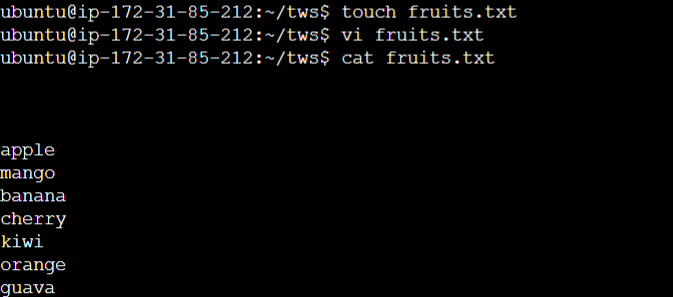
To view the contents of fruits.txt, we can use the cat command as mentioned earlier.
7. Show the top three fruits 🥇🥈🥉 To display only the top three fruits from fruits.txt, we use the head command with the -n option:
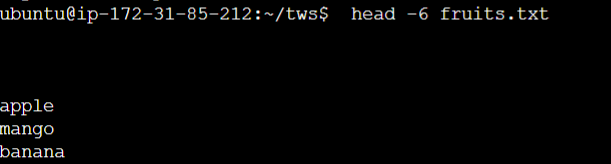
8. Show the bottom three fruits 🥉🥈🥇 On the other hand, to view only the bottom three fruits from fruits.txt, we use the tail command with the -n option:

10. Create file Colors.txt and add content 🟥🟩⬜⬛🔵🟠💜🔳

11. Find the difference between fruits.txt and Colors.txt ➖🔄➕ To discover the differences between these two files, we use the diff command: